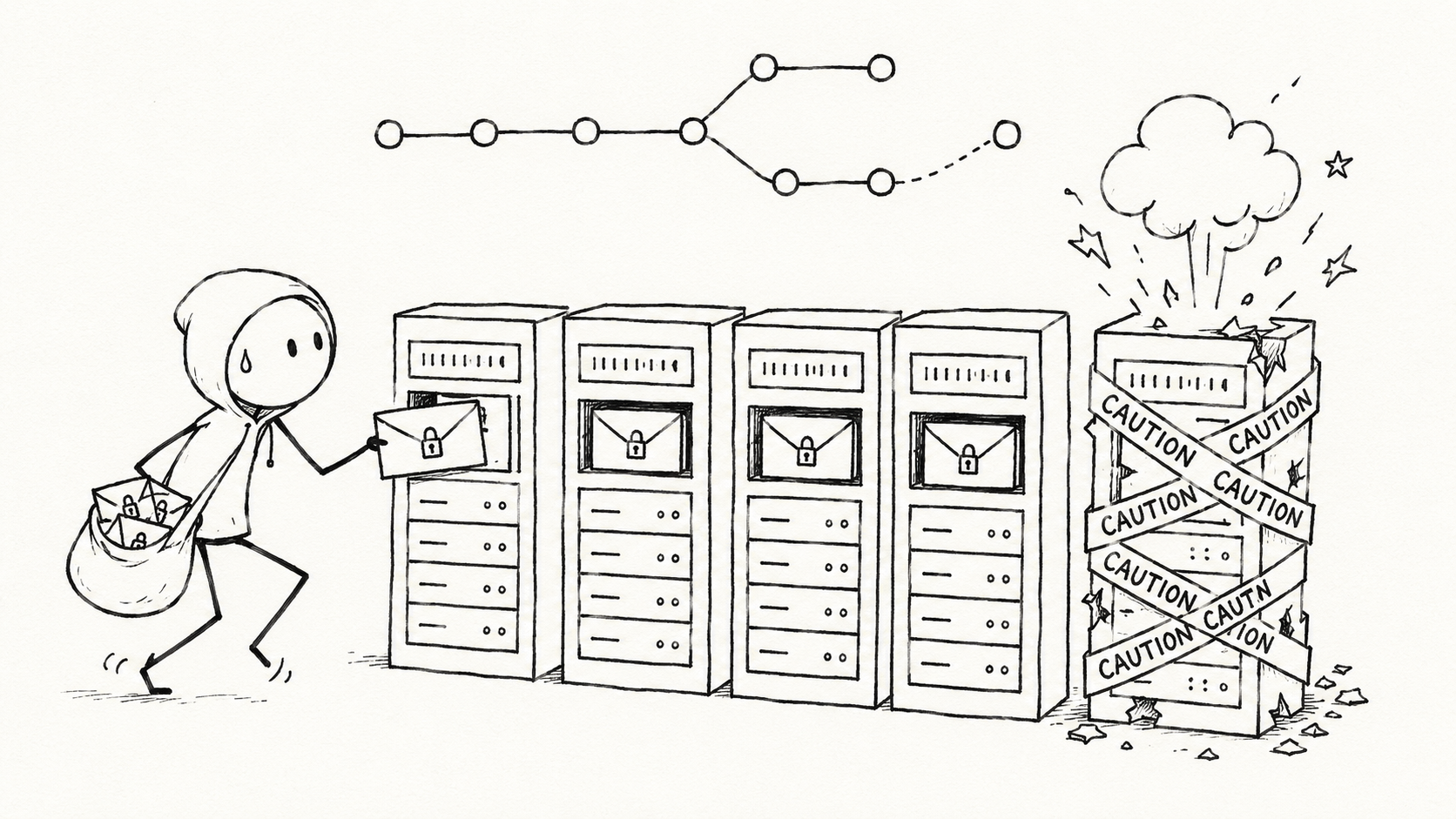
I wanted to deploy ArgoCD to manage my K3s cluster. After all, GitOps is what all the cool kids are doing these days. Who wouldn’t want Kubernetes to manage itself?
Mostly.
My previous post covered deploying the arr stack on K3s with cert-manager and an SMB share. That setup was mostly managed by Helm, and it assumed a native Linux host. Since then, I’ve migrated back to Windows as my daily driver.
I know. I’m a heathen.
But dual-booting just to play games was starting to annoy me, and after fixing the Windows micro-lag problem that pushed me away from Windows in the first place, I decided to move back. If you’re interested, I’ll link that write-up here once it’s published.
So this became a redeploy.
But this time, I wanted to do it properly and do it the GitOps way.
The TL;DR
This post covers how I rebuilt my homelab around:
- Windows 11 Pro as the host
- Hyper-V running a single Ubuntu 24.04 LTS VM
- K3s inside that VM
- ArgoCD for GitOps
- Sealed Secrets for storing encrypted secrets in a public repo
- The app-of-apps pattern
- Sync waves to stop everything deploying in the wrong order
- rclone + FUSE +
hostPathfor remote VPS storage - Several stupid mistakes that were, sadly, educational
The end result is simple:
kubectl apply -f https://raw.githubusercontent.com/M4NU5/UltimateHomeServer/main/apps/root.yaml
And the cluster rebuilds itself.
Well.
After you bootstrap ArgoCD.
Because of course there is always a bootstrap step.
Why I Didn’t Start With GitOps
I probably should have done this from the beginning: proper GitOps with ArgoCD. Everything declarative. Everything in Git. One kubectl apply to get the ball rolling.
The reason I didn’t is pretty simple: I wanted to understand Kubernetes before abstracting it away.
Running Helm manually was annoying, but it taught me what was actually happening. Namespaces, services, persistent volumes, ingress, certificates, PVCs, secrets, the usual YAML swamp.
Once I understood enough of that, ArgoCD made sense.
This post covers that next layer of abstraction: the GitOps architecture, the public-repo secrets strategy, the VPS storage wiring, and all the little “why is this broken at 1am?” moments that came with it.
If you haven’t read the previous post, start there for the K3s and cert-manager setup. This one assumes a fresh cluster and builds from there.
The New Host Setup
My environment changed quite a bit.
Previously, this was built around a native Linux host. Now it looks like this:
Windows 11 Pro host
└── Hyper-V
    └── Ubuntu 24.04 LTS VM
        └── K3s
            └── ArgoCD
That has a few practical consequences.
Your kubectl, helm, rclone, and kubeseal commands run inside the Ubuntu VM over SSH. Not on Windows. Not inside WSL. Not in the Hyper-V console unless you hate yourself.
So first things first is to solve that problem.
Do Not Live in the Hyper-V Console
Paste barely works in the Hyper-V console. That sounds like a small problem until you are copying Kubernetes manifests, tokens, commands, and URLs around. It gets old fast.
Install SSH immediately:
sudo apt install openssh-server -y
sudo systemctl enable ssh --now
ip a  # note the VM's LAN IP
Then connect from Windows Terminal:
ssh user@<vm-ip>
And never touch the Hyper-V console again.
I would also recommend enforcing certificate/key-based SSH only. I wrote about doing that on a headless Raspberry Pi here, but the same idea applies here.
This is not just neat-freak hardening either. I recently had a public box hit with brute-force attempts. If password auth had been enabled, I would have cared a lot more.
Post on that coming soon. 😀
Why ArgoCD?
The old setup was a collection of helm upgrade --install commands.
It worked fine until I changed something.
Then every edit needed to be manually reapplied. If the cluster died, I had to slither back through my notes, re-run Helm commands, check my values.yaml, remember which secrets were where, and generally pretend this was a professional process.
It was not. ArgoCD fixes that by making Git the source of truth and a gui to see your clusters state
The cluster continuously converges toward whatever is in the repo. Drift is detected. Sync state is visible. Rebuilds become boring.
Boring is good. You just need to deal with a bit of upfront complexity.

ArgoCD has to be bootstrapped manually. It cannot manage its own first install unless you enjoy recursive YAML-based suffering. You also need a real plan for secrets, because GitOps means “put everything in Git”, and my repo is public. Both problems are solvable.
The rest of this post is the mess I made solving them.
Architecture
App of Apps
The /apps folder is the control plane.
Each file is an ArgoCD Application resource pointing at either:
- a Helm chart, or
- a path inside the repo
A parent root.yaml points ArgoCD at the /apps folder itself. From there, ArgoCD manages the child applications.
That means adding a new app is just:
- Drop a new
Applicationmanifest in/apps - Push to Git
- Let ArgoCD do its thing
Sync Waves
Sync waves control deployment order. This matters more than you think. Get it wrong and you’ll waste time debugging “broken” apps that are really just deploying before their dependencies exist.
My ordering looks like this:
| Wave | App | Reason |
|---|---|---|
| 0 | Sealed Secrets controller | Must exist before any sealed secret can unseal |
| 1 | Sealed secrets store + cert-manager secrets | Secrets need to exist before apps consume them |
| 2 | SMB CSI driver + cert-manager Helm chart | Infrastructure layer |
| 3 | cert-manager config | CRDs must exist before ClusterIssuer and Certificate resources |
| 4 | Arr stack | Everything else needs to be healthy first |
PersistentVolumes for NAS and VPS storage live inside the arr stack chart and deploy at wave 4. They do not need their own wave because their dependencies are already handled by waves 0–3.
One caveat: sync waves are not magic. They help order resources, but they do not replace proper readiness checks, healthy apps, or understanding what depends on what.
Sadly.
Bootstrapping ArgoCD
ArgoCD is the one thing you install manually.
kubectl create namespace argocd

kubectl apply -n argocd \
  -f https://raw.githubusercontent.com/argoproj/argo-cd/stable/manifests/install.yaml

kubectl wait \
  --for=condition=available deployment/argocd-server \
  -n argocd \
  --timeout=120s
Once ArgoCD exists, the rest is triggered by the root application:
kubectl apply -f https://raw.githubusercontent.com/M4NU5/UltimateHomeServer/main/apps/root.yaml
ArgoCD reads the repo, finds the child Application manifests, and deploys the stack in wave order. That is the rebuild story. Bootstrap ArgoCD, apply the root app, wait for the cluster to converge.
Much better than manually replaying Helm commands from whatever cursed note file I last updated.
Secrets in a Public Repo
Secrets in code? I hear you screaming already.
“William, you’re a security engineer. This is a public repo. What are you doing?”
Relax.
I live by the belief that security should enable the work, not block it. The right solution here needs to be simple enough that I’ll actually use it, and safe enough that I’m not casually publishing credentials like an idiot.
That is where Sealed Secrets comes in.
How Sealed Secrets Works
Sealed Secrets encrypts a Kubernetes Secret using the cluster’s public key. You commit the encrypted SealedSecret to Git. Only the controller running inside that cluster can decrypt it back into a normal Kubernetes Secret.
The workflow looks like this:
kubectl create secret generic smb-creds \
  --from-literal=username=youruser \
  --from-literal=password=yourpassword \
  --dry-run=client \
  -o yaml \
  --namespace=home-server \
| kubeseal \
  --controller-name=sealed-secrets \
  --controller-namespace=sealed-secrets \
  --format yaml \
> sealed-smb-creds.yaml
The important bit is this:
--controller-name=sealed-secrets
The Helm chart installs the controller as sealed-secrets.
kubeseal expects sealed-secrets-controller by default.
You will hit this.
You will assume your secret is wrong.
It is not.
The name is wrong.
Classic.
Back Up the Master Key
Need I say more? If the cluster is wiped and you lose the Sealed Secrets master key, your sealed secrets are permanently unreadable.
Back it up:
kubectl get secret -n sealed-secrets \
  -l sealedsecrets.bitnami.com/sealed-secrets-key \
  -o yaml > master-key-backup.yaml
Store it somewhere offline. Do not commit the one key that decrypts the secrets you were so proud of encrypting.
That would be impressively stupid.
Some Values Cannot Be Sealed
This is the annoying part. Some Kubernetes fields require literal values in the manifest.
For example:
PersistentVolume.spec.volumeAttributes.source
cert-manager’s ClusterIssuer email is another example.
For my setup, these values were not sensitive. A private LAN IP and a domain already visible on my public blog are not exactly state secrets.
Pick your battles.
If you truly need values kept out of Git, ArgoCD can use private values or overlays injected at sync time. That is useful, but it adds complexity.
For this setup, Sealed Secrets was enough.
The VPS Storage Problem
This is where things got interesting. For the arr stack, I need two storage backends:
- A local NAS
- A remote VPS where qBittorrent downloads files before Sonarr and Radarr import them
The VPS side uses SFTP. After several wrong turns, this is the architecture I landed on:
VPS running SFTPGo
        │
        │ SFTP
        ▼
rclone pod
        │
        │ FUSE mount with mountPropagation: Bidirectional
        ▼
/mnt/vps on the K3s host
        │
        │ hostPath volume
        ▼
qBittorrent / Sonarr / Radarr pods
rclone mounts the SFTP remote directly onto the host filesystem.
mountPropagation: Bidirectional makes that mount visible to other pods through a normal hostPath.
Such beauty was worth small amount of pain.

Now lets get that working for you.
Install FUSE First
Before any Kubernetes nonsense, install FUSE on the host VM:
sudo apt install fuse3 -y
echo "user_allow_other" | sudo tee -a /etc/fuse.conf
This would have saved me a lot of stupidity. Naturally, I did not do it first.
rclone Gotchas
A few things are worth calling out.
First, passwords passed through the inline :sftp,... backend syntax need to be pre-obscured with:
rclone obscure
Plain text fails with:
input too short when revealing password
That error sounds like the password is too short. It is not. It means rclone expected an obscured value and got plain text. Obscure the password, then seal the obscured value.
Second, add this flag to the mount command:
--allow-non-empty
Kubernetes bind-mounts the hostPath directory into the container before rclone starts, so the target can appear non-empty.
Without --allow-non-empty, rclone refuses to mount.
One flag.
A stupid amount of debugging.
sigh
cert-manager: The Split That Matters
I covered cert-manager in the previous post, but ArgoCD changed one important thing. I initially tried to use ArgoCD’s multi-source Application feature to combine:
- the cert-manager Helm chart
- raw cert-manager manifests
This triggered an argocd-vault-plugin lookup and broke manifest generation. The fix was boring and correct:
cert-manager— Helm chart only, wave 2cert-manager-config—ClusterIssuerandCertificate, wave 3
The wave split matters. cert-manager CRDs must exist before ArgoCD can apply a ClusterIssuer.
Get this wrong and the sync fails with a CRD not found error.
Cloudflare Token Permissions
The Cloudflare API token needs both:
Zone:Zone:ReadZone:DNS:Edit
Missing Zone:Read produced API calls to:
/zones//dns_records/...
Notice the double slash. That means cert-manager did not resolve the zone ID.
It is not obvious until you see it. Now you know.

Rough Edges
PersistentVolumes Are Immutable
PersistentVolume specs cannot be changed after creation.
Changing the storage backend means deleting and recreating the PV.
With a Retain reclaim policy, the PV moves to Released, not Available, and keeps a stale claimRef.
You will run this more than once:
kubectl patch pv pv-vps -p '{"spec":{"claimRef":null}}'
Not elegant I know but it works.
Config Directory Permissions
linuxserver.io images run as PUID/PGID 1000. DirectoryOrCreate host paths are created by root. That combination produces fun errors. Jellyfin, for example, starts fine, renders the UI, and then fails when you try to log in:
SQLite Error 8: attempt to write a readonly database
The fix is an initContainer that corrects ownership before the app starts:
initContainers:
  - name: fix-permissions
    image: busybox
    command: ["sh", "-c", "chown -R 1000:1000 /config && chmod -R 755 /config"]
    volumeMounts:
      - name: jellyfin-config
        mountPath: /config
I now apply this pattern across the arr stack config mounts. Because apparently I enjoy rediscovering Unix permissions every few months.
kubeseal Ordering
You cannot seal secrets until the Sealed Secrets controller exists.
That means:
- Bootstrap ArgoCD
- Apply the root app
- Wait for wave 0 to complete
- Then run
kubeseal
If you try earlier, you get:
services "sealed-secrets-controller" not found
That error is confusing because it sounds like a Kubernetes service problem. Really, it is a controller naming and ordering problem.
Two problems wearing one trench coat.
What I’d Do Differently
Make the Repo Private From Day One
A public repo is doable but a private repo removes a lot of awkwardness. Several values cannot realistically be hidden because Kubernetes wants them as literal manifest values. If public GitOps is a hard requirement, Sealed Secrets plus private overlays works.
But for a normal homelab?
Just make the repo private unless you have a reason not to. Mine is public because i forked a public reference.
Validate rclone Before Touching Kubernetes
This would have saved me hours. Before writing a pod spec, test the full SFTP path from the VM:
rclone ls myremote:/path
Validate:
- SFTPGo port
- username
- password format
- remote path
- permissions
- whether the files are actually visible
Half my VPS debugging had nothing to do with Kubernetes. It was rclone configuration wearing a Kubernetes hat.
The Takeaway
The previous version of this homelab worked now it is also easily recoverable. When the host dies, and homelab hosts always eventually die, I do not want to reconstruct the cluster from memory, old shell history, and vibes.
With ArgoCD, the desired state lives in Git.
With Sealed Secrets, the sensitive parts can live there too without immediately ruining my day.
With sync waves, the cluster deploys in an order that mostly makes sense.
And with the rclone VPS mount finally working, the arr stack can keep doing its legally distinct Linux ISO management thing.
The bootstrap is manual once.
Everything after that is:
git push
The chart is here.
Read the previous post for the K3s and cert-manager prerequisites.
Now go commit some YAML and pretend this was always the plan. I need to touch some grass.
